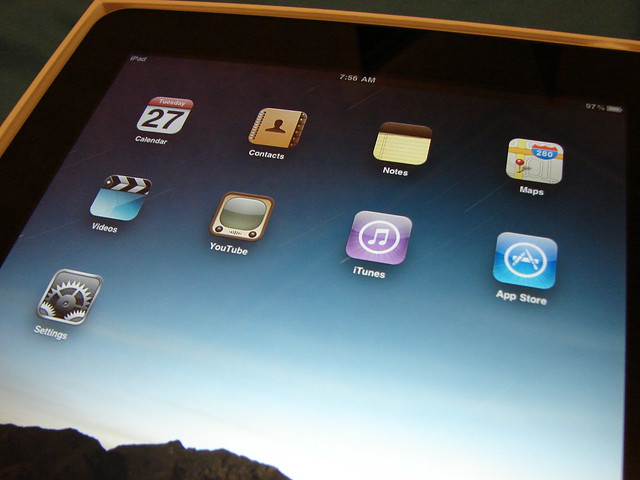
An Apple professional development instructor recently shared this tool with me:
http://www.applist.me/us.php
You download a small client from their site and install it on your computer. It scans your iTunes library for apps, and then lets you pick which ones you want to share. It then publishes a webpage for you with all of those apps listed. Each app has the logo, a brief summary, and the pricing information from iTunes. And each app has a clickable link that takes you right to the store to download the app.
This is a quick and easy way to share app lists. I can see it being really handy for appy hours (find out more about appy hours from @computerexplore at techchef4u.wordpress.com). The moderator of the appy hour could share out app menus through this tool (it wouldn't be as fancy as some of the menus I've seen, but it would have all the info they need). And users could exchange lists themselves. Take a look at what the list looks like below:
Monday, May 14, 2012
Wednesday, April 4, 2012
Students as teachers #edchat
My goal was to inspire them and to motivate them not only to learn, but to understand that they can be teachers too. Learning doesn't just go one direction anymore. It has to go in all directions. We are all learning from each other.
Students should get the opportunity to be teachers every day!
Friday, March 30, 2012
WebDAV integration with AD #edtech
| http://www.flickr.com/photos/74995919@N00/4597780822/ |
However, we have had a very difficult time making our WebDAV configuration work with AD. We kept having a problem with folder permissions. Either a user would get full access to every folder, or they wouldn't get any access to any folders. Which is kind of a big problem.
We found that the key is to install and configure your WebDAV server on the file server that is housing the network drive you want to give access to. When you set it up this way the WebDAV server can properly managing the permissions. If it is on a separate server you will continue to run into the permission problems.
We actually plan to expand our WebDAV use outside the iOS application. We are planning to use WebDAV to provide access to all user drives when they are away from the office, and do away with the need for VPN access.
Wednesday, March 28, 2012
Break the learning limits!
| http://www.flickr.com/photos/frants/1464952138/sizes/l/in/photostream/ |
As I stood there with a light blue belt and a dark blue belt in my hand, I struggled to remember which color of blue are in the Red Sox uniforms. I tried to Google it, but I couldn't get any great images on my phone that really told me for sure. I decided to post a picture of both belts to twitter and see if my PLN could help me. I quickly got a number of replies, and was told that the dark blue belt was the one to go with.
What as great about this, is that my limited knowledge of baseball did not limit my son's education/experience in baseball. Even though I didn't know the correct colors, I was able to figure them out, and make sure he didn't end up looking like he was on Spiderman's team instead of the Boston Red Sox.
| http://www.flickr.com/photos/stuckincustoms/6306983152/sizes/l/in/photostream/ |
There is no longer an excuse for education to be limited by an individual's knowledge!
Labels:
EdTech,
Teaching and Learning
Location:
Cedar Creek, TX 78612, USA
Friday, March 23, 2012
Love the kids! #edtech #edchat
At the closing keynote for TCEA2012 Stacy Bess told an emotional story about loss, and love. It pulled on our heart strings, yet at the same time it was inspiring. I saw more than one person fighting back tears and for me this capped off an amazing and inspiring convention.
My favorite quote from Stacy Bess was: "Don't hide behind your credentials. Get down on the floor and be a human being." I thought that was a great quote, and it really inspired me. I think some times we do get caught up in what our title is. Or maybe we just get caught up in all of the little things that we have to get done each and every day. Either way I think we sometimes forget what our job really is. Our job is to love children. To care about them, motivate them, inspire them, and teach them. In this day and age, there are so many things that can distract us from that job. I wish we could get rid of some of our labels: GT, LEP, SpEd, ELL, etc. Because I believe that some times those labels can also serve to prevent us from seeing the kids. We must focus on the kids, and remember that they are kids, not labels. The kids needs us. They need us to see them, to know them. They need us to understand them, and to motivate them. They need us to inspire them. And above all else, they need us to love them. It might be the only love they get that day.
I had the pleasure of subbing in a 4th grade classroom a few weeks ago. My goal was to live that quote from Stacy Bess. I didn't want to hide behind my title. I didn't want to just get through the day, and worry about all of my tech director duties. I wanted to get down on the floor and connect with those kids. One of the first things we did that day was a timed math quiz on multiplication tables. One little girl told me "I don't want to take this test because I'm not good at math." Before I started the timer I got down on my knees in front of her desk. I told her she was amazing at math. I told her she could do it. I told her "I can't believe you don't know was 6 x 0 is! Or what 6 x 1 is." She said, "Well, of course I know those ones." I quickly showed her how many times those appeared on the test and then urged her to do her best. I started the timer and she got right to work. When I collected her test, I gave her a high five. I told her she did an amazing job! The smile on her face told me that maybe, just maybe, she didn't think she was as bad at math as she did before the quiz. For the rest of that day, I tried my best to inspire her and her classmates. We ended up having a lot of fun learning together! And I can't wait to go back!
Don't forget to the love the kids!
| http://www.flickr.com/photos/34726560@N00/2630535974/ |
I had the pleasure of subbing in a 4th grade classroom a few weeks ago. My goal was to live that quote from Stacy Bess. I didn't want to hide behind my title. I didn't want to just get through the day, and worry about all of my tech director duties. I wanted to get down on the floor and connect with those kids. One of the first things we did that day was a timed math quiz on multiplication tables. One little girl told me "I don't want to take this test because I'm not good at math." Before I started the timer I got down on my knees in front of her desk. I told her she was amazing at math. I told her she could do it. I told her "I can't believe you don't know was 6 x 0 is! Or what 6 x 1 is." She said, "Well, of course I know those ones." I quickly showed her how many times those appeared on the test and then urged her to do her best. I started the timer and she got right to work. When I collected her test, I gave her a high five. I told her she did an amazing job! The smile on her face told me that maybe, just maybe, she didn't think she was as bad at math as she did before the quiz. For the rest of that day, I tried my best to inspire her and her classmates. We ended up having a lot of fun learning together! And I can't wait to go back!
Don't forget to the love the kids!
Thursday, February 9, 2012
Living in an iWorld #TCEA2012
Here are the resources for my Living in an iWorld presentation.
Slides - Keynote / PPT
Apptivity Template
Apptivity Example
We are talking about iPad management from a cart perspective. How the VPP works and how you can give your teachers more control over this. I will also demo the use of an Apple TV and how you can use this to potentially replace an interactive white board.
Slides - Keynote / PPT
Apptivity Template
Apptivity Example
We are talking about iPad management from a cart perspective. How the VPP works and how you can give your teachers more control over this. I will also demo the use of an Apple TV and how you can use this to potentially replace an interactive white board.
Tuesday, February 7, 2012
What Content Are You Filtering? #TCEA2012
Here are the resources for my presentation today at TCEA2012.
I am presenting on Content Filtering and what the requirements of CIPA are. Hopefully we will have a great discussion about what we are required to filter, and why we might think about the positive aspects of opening up certain types of content. We will also discuss the need for teaching our students responsible use. The shared notes is an editable google document that you can use to take live notes (and even ask questions) during the presentation.
Prezi
Shared Notes (Google Doc)
Poll
Let me know what you think!
I am presenting on Content Filtering and what the requirements of CIPA are. Hopefully we will have a great discussion about what we are required to filter, and why we might think about the positive aspects of opening up certain types of content. We will also discuss the need for teaching our students responsible use. The shared notes is an editable google document that you can use to take live notes (and even ask questions) during the presentation.
Prezi
Shared Notes (Google Doc)
Poll
Let me know what you think!
Subscribe to:
Posts (Atom)